Saturday, March 16, 2024

Ano nga ba ang ICT?

ICT SA MAKABAGONG MUNDO

Sa mabilis na pag-unlad ng digital na paligid ngayon, ang Information and Communication Technology (ICT) ay naglilingkod bilang ang batayan ng modernong lipunan, na binabago ang paraan ng ating pamumuhay, trabaho, at pakikipag-ugnayan. Mula sa komunikasyon hanggang edukasyon, kalusugan hanggang negosyo, ang impluwensya ng ICT ay halos lahat, binabago ang bawat aspeto ng gawain ng tao.

Rebolusyon sa Komunikasyon
Inirebolusyon ng ICT ang komunikasyon, binabasag ang mga hadlang ng oras at espasyo. Sa pamamagitan ng instant messaging, mga plataporma ng social media, at mga tool para sa video conferencing, ang mga indibidwal ay maaaring makipag-ugnayan sa sinuman, saanman sa mundo, na nagpapalakas ng pandaigdigang pakikipagtulungan at pag-unawa.

Edukasyon na Binago
Ang integrasyon ng ICT sa edukasyon ay nagbago ng tradisyonal na mga paradigma ng pag-aaral. Ang mga plataporma ng e-learning, mga interactive na simulasyon, at mga digital na textbook ay gumawa ng pag-aaral na mas abot-kamay, mas nakakaakit, at personalisado, na nagtutugma sa iba't ibang paraan at pangangailangan sa pag-aaral.

Pagbibigay Lakas sa Kalusugan
Sa sektor ng kalusugan, pinapayagan ng ICT ang mga makabuluhang pag-unlad sa pangangalaga sa pasyente, pagsusuri, at paggamot. Pinapayagan ng mga serbisyong telemedisina ang mga pasyente na makipag-consult sa mga propesyonal sa kalusugan nang remote, habang pinapabilis ng mga electronic health record ang pagbabahagi ng impormasyon at nagpapabuti sa koordinasyon ng pangangalaga.

Ekonomiyang Digital
Binigyang-impulso ng ICT ang paglago ng digital na ekonomiya, na lumikha ng bagong mga pagkakataon para sa pagbabago, pagnenegosyo, at pag-unlad sa ekonomiya. Binabago ng mga plataporma ng e-commerce, digital na mga pamilihan, at mga sistemang online na pagbabayad ang paraan ng pagbili, pagbenta, at pagkonsumo ng mga kalakal at serbisyo.

Mga Hamon at Pagkakataon
Bagaman mayroon itong potensyal na magbago, nagdudulot din ang ICT ng mga hamon tulad ng digital na pagkakaiba-iba, mga banta sa kiberseguridad, at mga alalahanin sa privacy. Mahalaga ang pagtugon sa pagkakaiba-iba ng digital, pagtiyak sa mga hakbang sa kiberseguridad, at pangangalagaan ang privacy ng data upang magamit ng buong-buo ang mga benepisyo ng ICT habang pinipigilan ang mga panganib nito.

Pananaw sa Kinabukasan
Sa ating paglalakbay sa digital na edad, mahalaga ang pagtanggap sa kapangyarihan ng ICT habang kinakaharap ang mga hamon nito para sa pagtatayo ng mas kasali, matatag, at mas matatag na hinaharap. Sa pamamagitan ng paggamit ng ICT upang palakasin ang pagbabago, pagbibigay-lakas sa mga komunidad, at pagpapalakas sa kaalaman sa digital, maaari nating buksan ang mga bagong posibilidad at lumikha ng mas magandang kinabukasan para sa mga susunod na henerasyon.

Sa pangwakas, ang ICT ay hindi lamang isang kasangkapan kundi isang katalista para sa transformasyon ng lipunan, na humuhubog sa paraan ng ating pamumuhay, pag-aaral, at pagpapalago sa panahon ng digital. Ang pagtanggap sa potensyal nito at pagharap sa kanyang mga kumplikasyon ay mahalaga na hakbang patungo sa pagtatayo ng isang mas konektado, kaalaman-driven, at pantay na mundo.

Sunday, December 4, 2022

MOTHERBOARD AND ITS PARTS

MOTHERBOARD AND ITS PARTS

Name Image Function
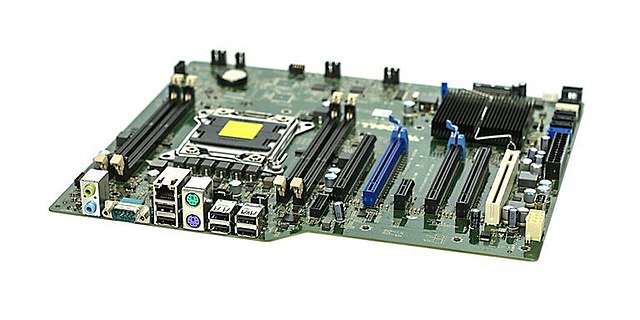
MOTHERBOARD
A motherboard is the main printed circuit board in general-purpose computers and other expandable systems. It holds and allows communication between many of the crucial electronic components of a system, such as the central processing unit and memory, and provides connectors for other peripherals.
CPU SOCKET
CPU socket is a portion in the motherboard which holds the CPU (Central Processing Unit) or simply the processor
MEMORY(RAM)SLOT
Memory (RAM) Slot is the slot where you will insert the memory module or card.
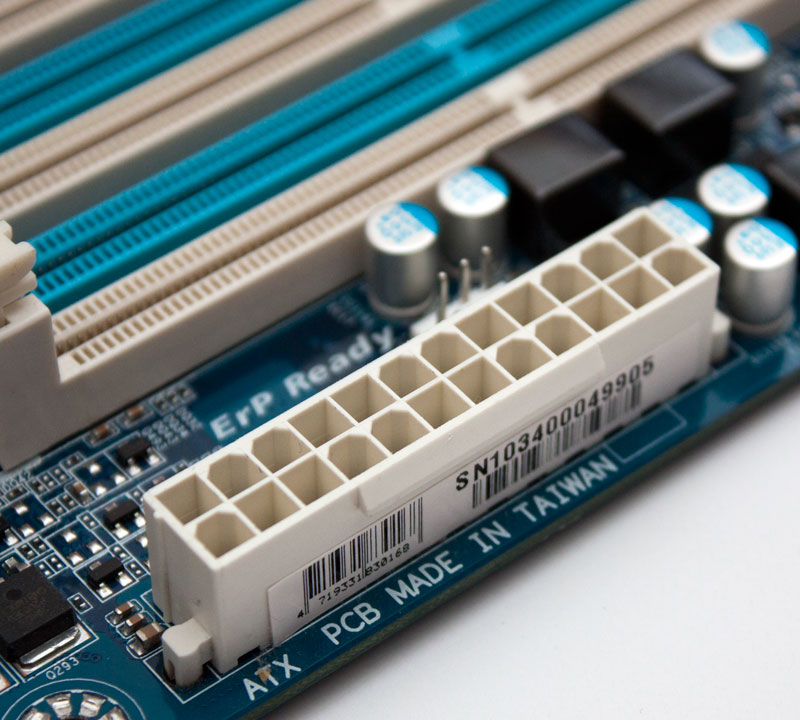
24-PIN ATX POWER CONNECTOR
24-Pin ATX power connector is the portion where you can connect the power supply unit (PSU) power connector.
NORTHBRIDGE CHIP SET
Northbridge Chip set handles the data transfer duties of memory,CPU, and AGP and to make the most efficient use available resources.
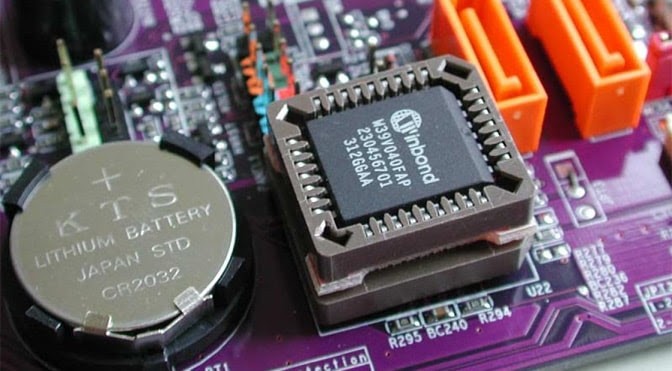
CMOS OR BIOS CHIP
CMOS ( Complementary Metal Oxide Semi-conductor) is also achipset which contains the BIOS (Basic Inout Output System).The BIOS is the built in software that tells what a computer can do without accessing programs from a disk.
S-ATA PORTS
Serial Advanced Technology Attachment, also known as Serial ATA or SATA, enables mass storage devices, such as hard drives and optical drives, to communicate with the motherboard using a high-speed serial cable over two pairs of conductors. Figure : Example of SATA connections on a hard drive. Power cable.
I/O PORT
(Input/Output port) An I/O port is a socket on a computer that a cable is plugged into. The port connects the CPU to a peripheral device via a hardware interface or to the network via a network interface. See port, standards - hardware interfaces, DisplayPort, HDMI and USB.
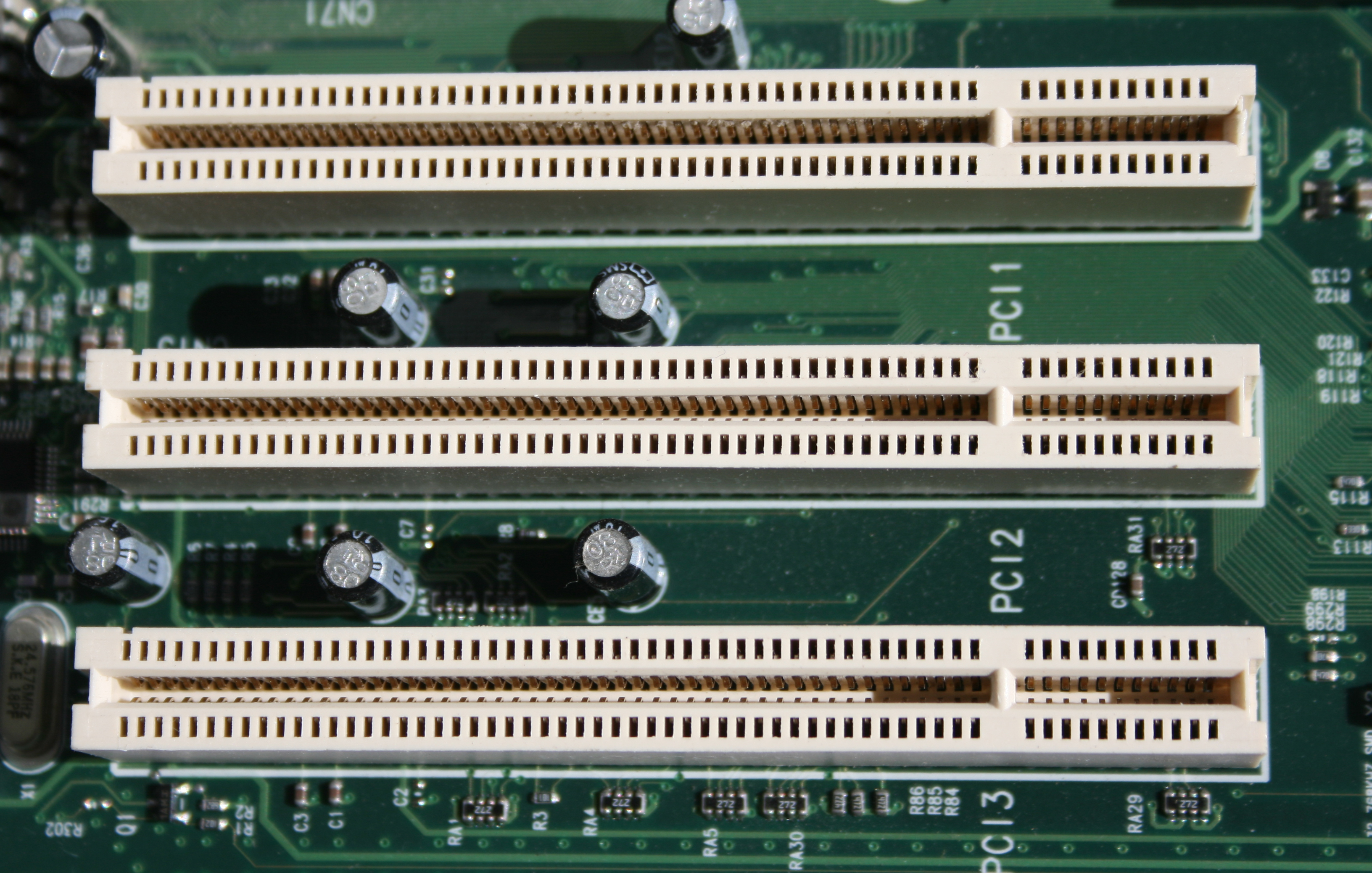
PCI
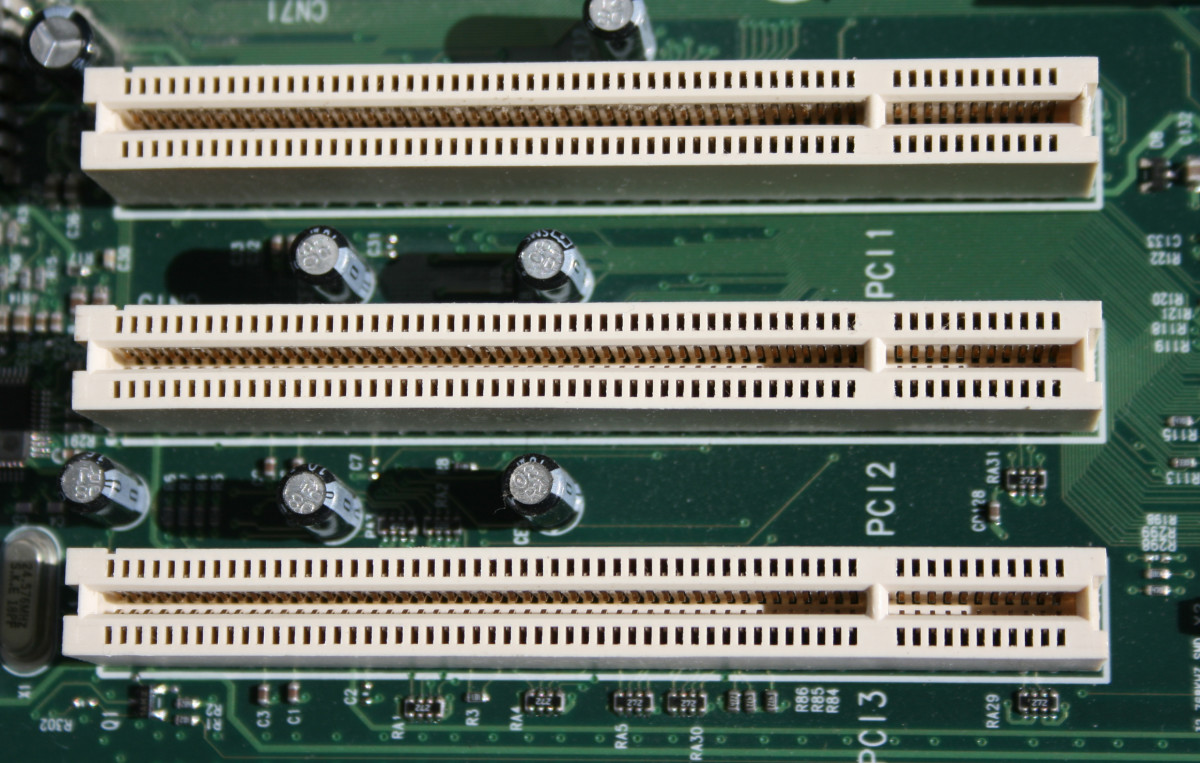
Peripheral Component Interconnect is a local computer bus for attaching hardware devices in a computer and is part of the PCI Local Bus standard. The PCI bus supports the functions found on a processor bus but in a standardized format that is independent of any given processor's native bus.
AGP
Accelerated Graphics Port is a parallel expansion card standard, designed for attaching a video card to a computer system to assist in the acceleration of 3D computer graphics. It was originally designed as a successor to PCI-type connections for video cards.
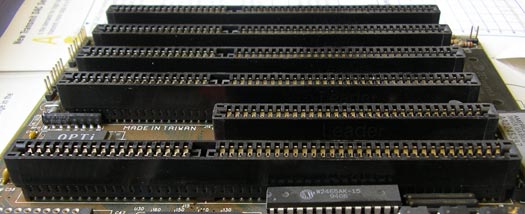
ISA
Industry Standard Architecture is the 16-bit internal bus of IBM PC/AT and similar computers based on the Intel 80286 and its immediate successors during the 1980s. The bus was backward compatible with the 8-bit bus of the 8088-based IBM PC, including the IBM PC/XT as well as IBM PC compatibles.
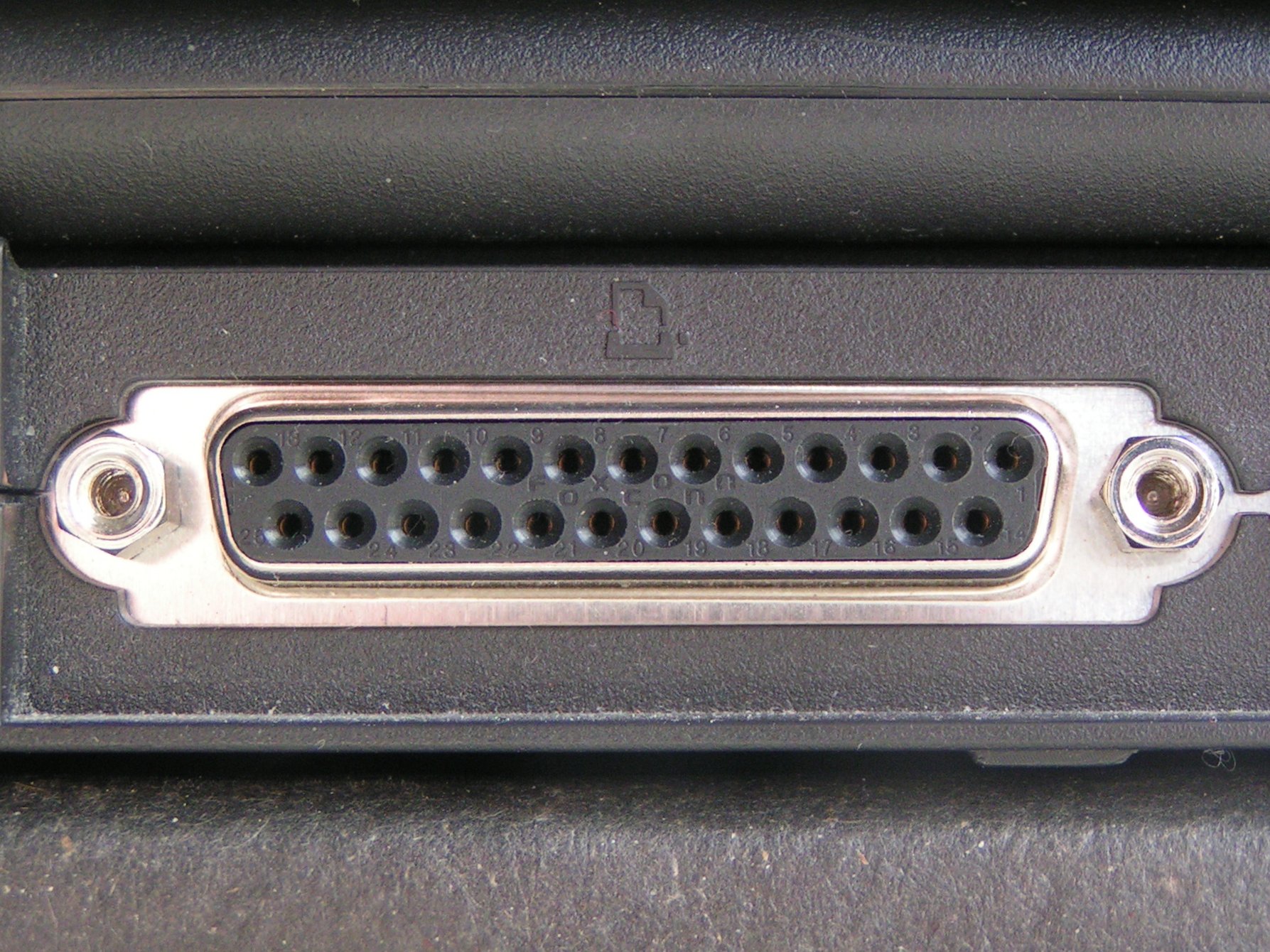
PARALLEL PORT
Parallel port is a type of interface found on early computers for connecting peripherals. The name refers to the way the data is sent; parallel ports send multiple bits of data at once, as opposed to serial communication, in which bits are sent one at a time.
FDC
A floppy-disk controller has evolved from a discrete set of components on one or more circuit boards to a special-purpose integrated circuit or a component thereof. An FDC directs and controls reading from and writing to a computer's floppy disk drive.
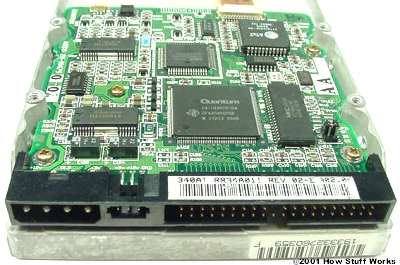
IDE
IDE controller, also known as the ATA (Advanced Technology Attachment) controller, is an asynchronous parallel interface between a host microprocessor system and a standard IDE device. Therefore, this can be called a host adapter because it provides a way to connect a complete IDE device to the host.
POWER SUPPLY CONNECTOR
The ATX 24-pin power supply connector is the standard motherboard power connector in computers today. The connector itself is a Molex 39-01-2240 connector, often called a Molex Mini-fit Jr.
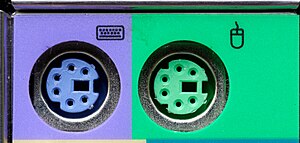
MOUSE AND KEYBOARD PORT
The PS/2 (Personal System/2) port, also referred to as the mouse port or keyboard port, was developed by IBM. It is used to connect a computer mouse or keyboard to an IBM compatible computer. The PS/2 port is a mini DIN plug containing six pins and is still sometimes found on all IBM compatible computers.
HEATSINK
A heat sink is designed to maximize its surface area in contact with the cooling medium surrounding it, such as the air. Air velocity, choice of material, protrusion design and surface treatment are factors that affect the performance of a heat sink. Heat sink attachment methods and thermal interface materials also affect the die temperature of the integrated circuit.
USB 3.1 Gen1 header
USB 3.1 Gen 1 supports speeds of up to 5Gbit/s while USB 3.1 Gen 2 supports speeds of up to 10Gbit/s. The USB-IF intended to use a set of different names to call the USB 3.1 Gen 1 and USB 3.1 Gen 2 that would've made it better strictly for marketing purposes.
M.2 CONNECTOR
M. 2 connector, formerly known as Next Generation Form Factor (NGFF), is a type of internal computer connector. It replaces the mSATA standard and allows you to insert small expansion cards on everything from desktop PCs to thin-and-light laptops.
TPM HEADER
Trusted Platform Module (TPM), a microchip attached to the motherboard, is included in some computers. The TPM is also famous as ISO/IEC 11889). It can provide you with great hardware-based cybersecurity. The trusted platform module is designed to be a tamper-resistant store for cryptographic keys.
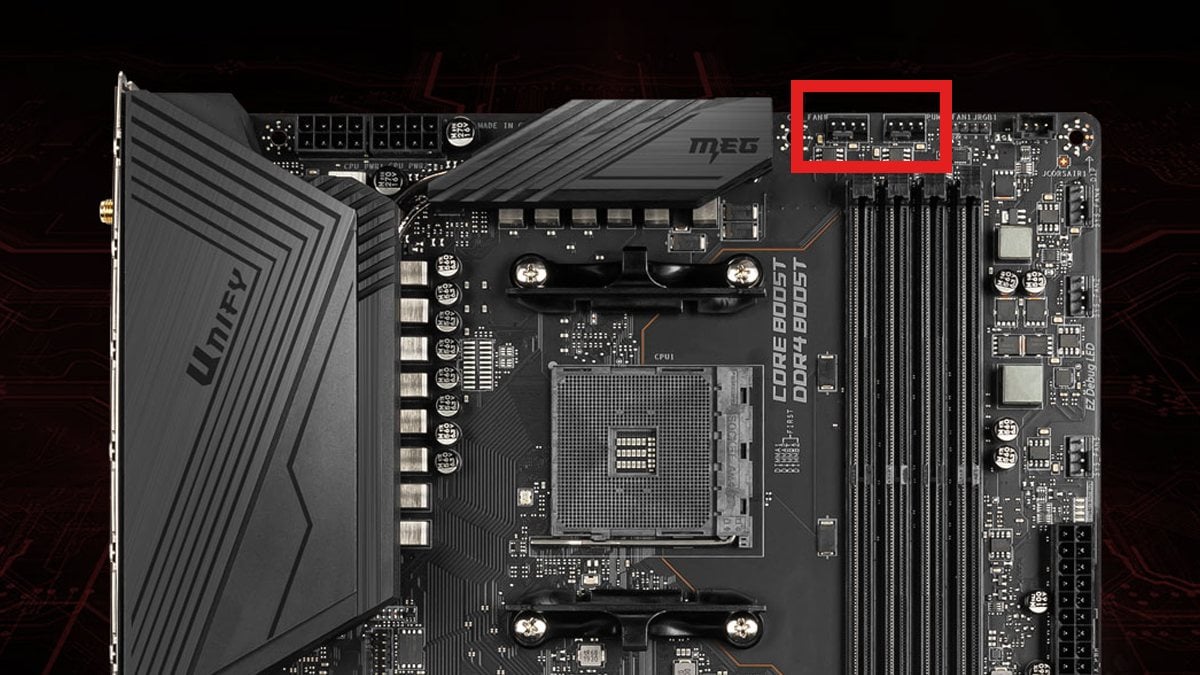
FAN HEADERS
CPU_FAN headers are used to power the fan of your CPU. They typically have four pins, which means their speed can be adjusted based on the CPU temp data, either through dedicated software, BIOS, or the operating system itself.

Monday, November 28, 2022

PARTS OF THE COMPUTER

PARTS OF THE COMPUTER

Name Image Function
MONITOR
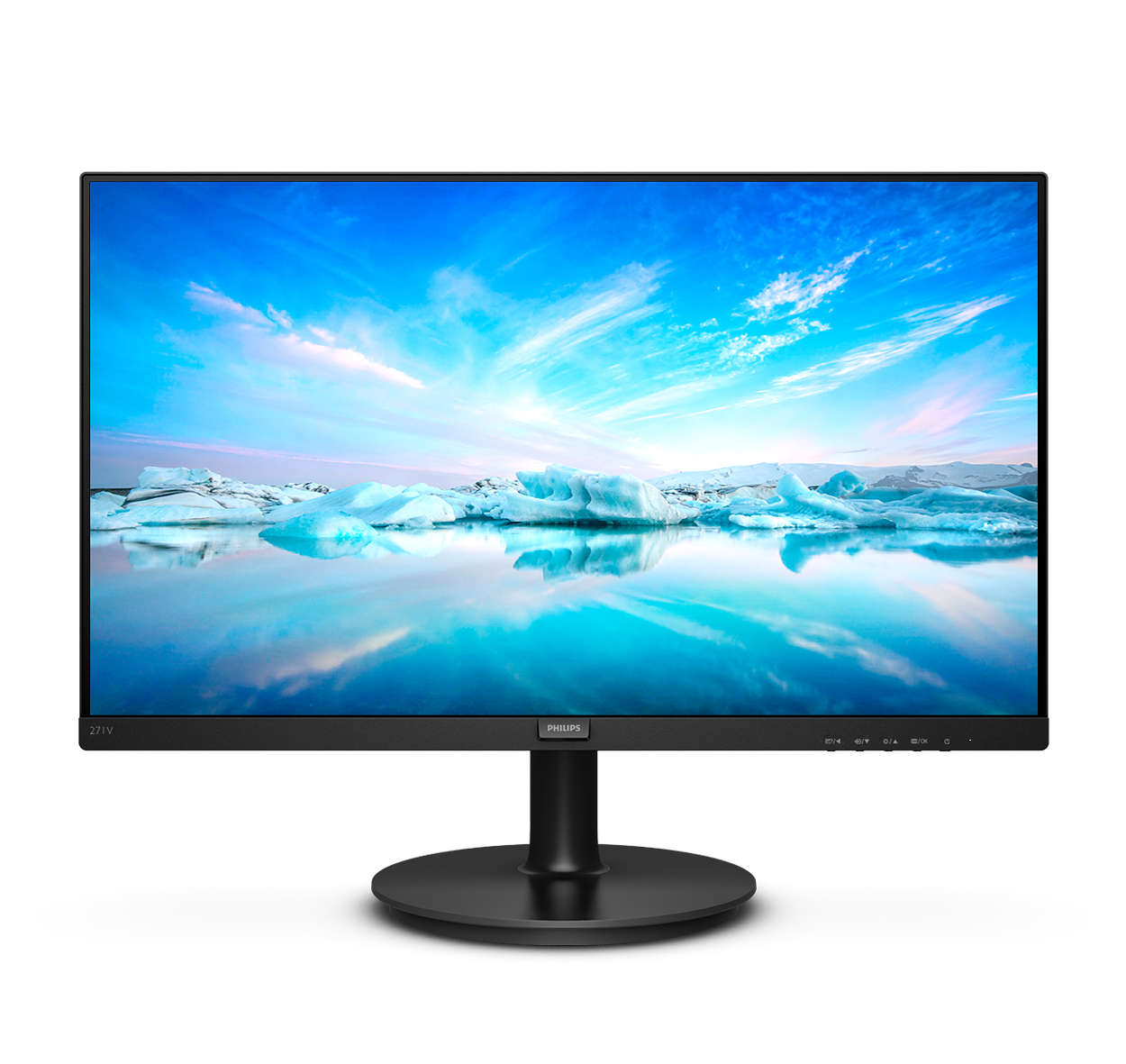
A computer monitor is an output device that displays information in pictorial or textual form. A discrete monitor comprises a visual display, support electronics, power supply, housing, electrical connectors, and external user controls.
KEYBOARD
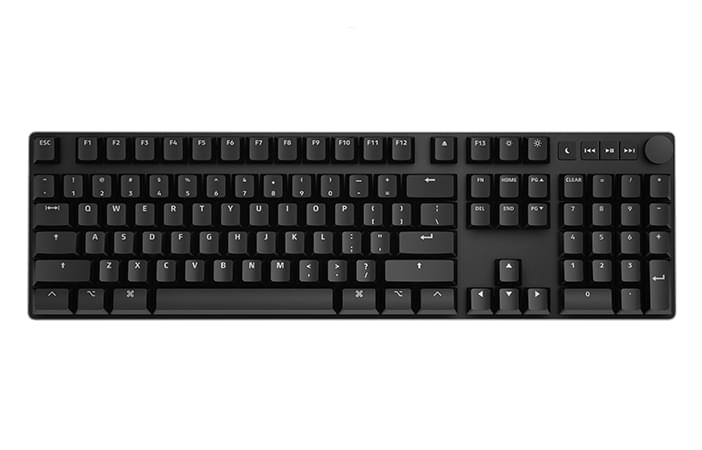
A keyboard's primary function is to act as an input device. Using a keyboard, a person can type a document, use keystroke shortcuts, access menus, play games and perform a variety of other tasks.
MOUSE
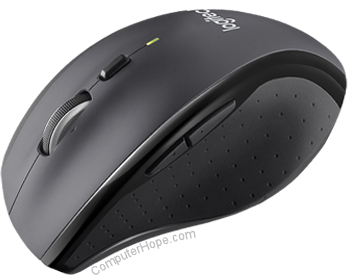
A computer mouse is a handheld hardware input device that controls a cursor in a GUI (graphical user interface) for pointing, moving and selecting text, icons, files, and folders on your computer.
SYSTEM UNIT/COMPUTER CASE.
A system unit is the part of a computer that houses the primary devices that perform operations and produce results for complex calculations. It includes the motherboard, CPU, RAM and other components, as well as the case in which these devices are housed.
SPEAKER
A computer speaker is an output hardware device that connects to a computer to generate sound. The signal used to produce the sound that comes from a computer speaker is created by the computer's sound card.
MOTHERBOARD
The motherboard is the backbone that ties the computer's components together at one spot and allows them to talk to each other. Without it, none of the computer pieces, such as the CPU, GPU, or hard drive, could interact.
CPU
The CPU is the brain of a computer, containing all the circuitry needed to process input, store data, and output results. The CPU is constantly following instructions of computer programs that tell it which data to process and how to process it. Without a CPU, we could not run programs on a computer.
EXPANSION BUS
An expansion bus provides an input/output pathway for transferring information between internal hardware, such as RAM or the CPU, and expansion devices such as a graphics card or sound card.
MAIN MEMORY/MEMORY
Main memory holds instructions and data when a program is executing, while auxiliary memory holds data and programs not currently in use and provides long-term storage.
ADAPTER
An adapter in regard to computing can be either a hardware component (device) or software that allows two or more incompatible devices to be linked together for the purpose of transmitting and receiving data.
POWER SUPPLY UNIT
A power supply unit (PSU) converts mains AC to low-voltage regulated DC power for the internal components of a computer. Modern personal computers universally use switched-mode power supplies. Some power supplies have a manual switch for selecting input voltage, while others automatically adapt to the mains voltage.
HARD DISK DRIVE
A computer hard drive (or a hard disk or HDD) is one kind of technology that stores the operating system, applications, and data files such a documents, pictures and music that your computer uses. The rest of the components in your computer work together to show you the applications and files stored on your hard drive.
OPTICAL DRIVE
An optical disc drive (ODD) in a computer system allows you to use CDs, DVDs, and Blu-ray discs to listen to music or watch a movie. Most drives also allow you to write data to a disc, so you can create your own music CDs, video DVDs or even create of back-up copy of your important data files.
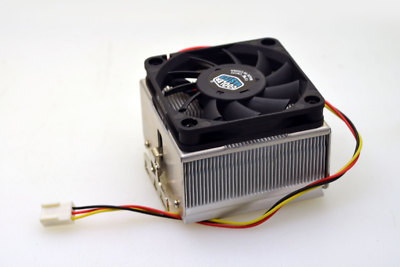
CPU FAN AND HEAT SINK
A heat sink and fan is often used in modern computer systems to keep the processor cool. Without it, the processor could easily overheat and become damaged. Therefore, this combination is often found in most low- to mid-range computer systems, and even in high-end notebooks.
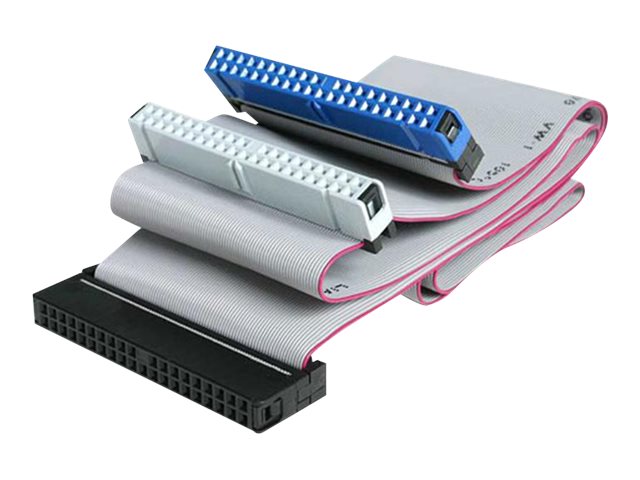
EIDE
Enhanced integrated drive electronics (EIDE) is the hard drive interface that succeeded integrated device electronics (IDE), also known as ATA or ATA-1. The interface acts as an intermediary between the computer and a mass storage device. EIDE provides much faster transfer rates than IDE.
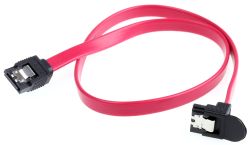
S-ATA DATA CABLE
SATA data cables are used to connect storage devices to your computer's motherboard ("mobo") or SATA controller.

Sunday, October 23, 2022

21st Century


Task 4: Similarities and difference of the Doodle Fiction,Manga,and Graphic Novel.


              Difference in Terms of Structure
 
-the differences between Graphic Novel, Manga, and Doodle Fiction are that Manga is read froright to left, while the Graphic novel is longer comic stories and the Doodle fiction uses styles of drawing and handwriting graphics to show stories.

                               Similarities

 -the similarities of Doodle Fiction, Manga, and Graphic Novel. Their same characteristics are it incorporates drawing, illustrations, or graphics in telling the story.

                Difference in Terms of Elements 

-Doodle Fiction incorporates handwritten graphics in telling the story and hand written graphics in place of traditional font. Drawings enhance the story, often adding humorous elements that would be missing if the illustrations were omitted.


 -Manga also has what is called the elements of manga or the grammar of manga: 1) picture (depicting objects and figures), 2) word (including onomatopoeia), 3) balloon (indicating words), and 4) frame (surrounding pictures).


 -Graphic Novel Elements are Panels,Gutter,Word/Speech balloons (thought and speech),narration,Sound effects, Motion lines,Background colours.


Sunday, October 16, 2022

Html

A basic HTML table

Name Age Birthdate Contact#
Raver James Bugtong 16 September 1, 2006 09356710135
Kurt Edades 17 August 5, 2005 09669362863
John Dimple Gamayon 17 June 26, 2005 09558625938
Lovern Serojales 17 November 17, 2004 09974164084
Charlote Salvatica 16 April 22, 2006 09261711261

This are my seatmates.

Friday, October 14, 2022

Me Again


My First Webpage

Welcome to my webpage. I am an ICT student from Macasandig National High School,Raver James C. Bugtong,I'm 16 years old and currently living in Arroville phase2 subd.. Macasandig, Cagayan De Oro City.I love to play basketball,mobile games,card games and board games and that would be all thankyou!

Thursday, October 13, 2022

Me


 Hi, I'm Raver James C. Bugtong Welcome to my webpage. I am an 11-ICT student. I'm 16 years old and currently living in Arroville Phase 2 Subd., Macasandig, Cagayan de Oro City. I have inspiration in life, especially in education. None other than my family and this one girl who is always there to support me and be with me in happiness and sadness and will always be my favorite enemy.I love playing basketball,reading manga, and watching movies.

Ano nga ba ang ICT?

ICT SA MAKABAGONG MUNDO Sa mabilis na pag-unlad ng digital na paligid ngayon, ang Information and Communication Technology (ICT)...